


PDF chapter test TRY NOW
How to install the Tux paint application software:
Tux Paint for Windows is available as an installer program, downloadable as an executable program (.exe) which you can double-click to begin the installation process.
The following are the step by step procedures to install the application.
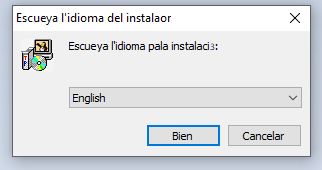
Step 1: Select the language as "English".
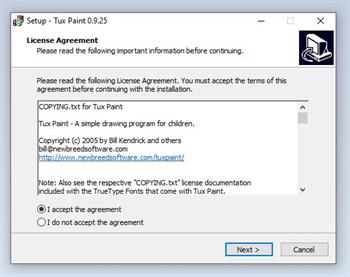
Step 2: Read the license agreement and select "I accept the agreement".
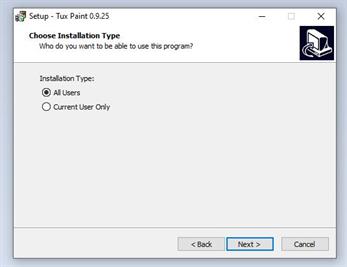
Step 3: Choose the install type as "All Users" and click next.
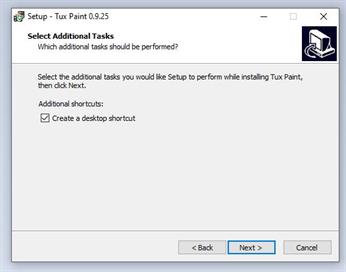
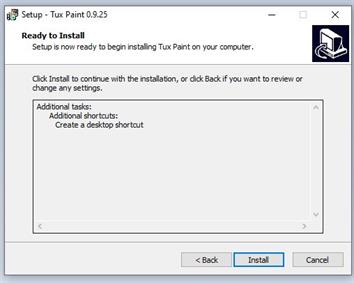
Step 4: Select the additional task "Create a desktop shortcut" and click next.
Step 5: Click Install to complete the installation process.
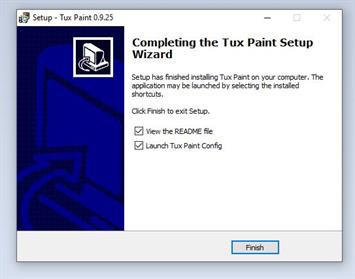
Step 6: Click Finish to complete the setup wizard.
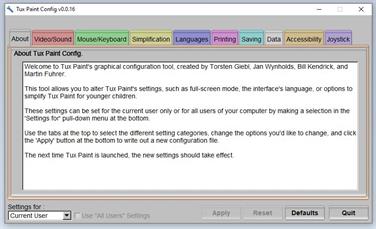
Step 7: Now, You can see the configuration screen where you can customize your settings.
How To Open Tux Paint:
- Double-click the "Tux Paint" icon on your desktop screen.
or
- Select the Start button Tux Paint Tux Paint (Full Screen).
You can now see the welcome screen of Tux Paint. After the welcome screen, you will get the opening screen of Tux Paint.
 Register for free to see more content